AI Eye Color Changer
Change the eye color in your photos realistically. Try on blue, green, brown, or even purple eyes with AI.
Click to upload an image
or drag and drop
What It Does
Before
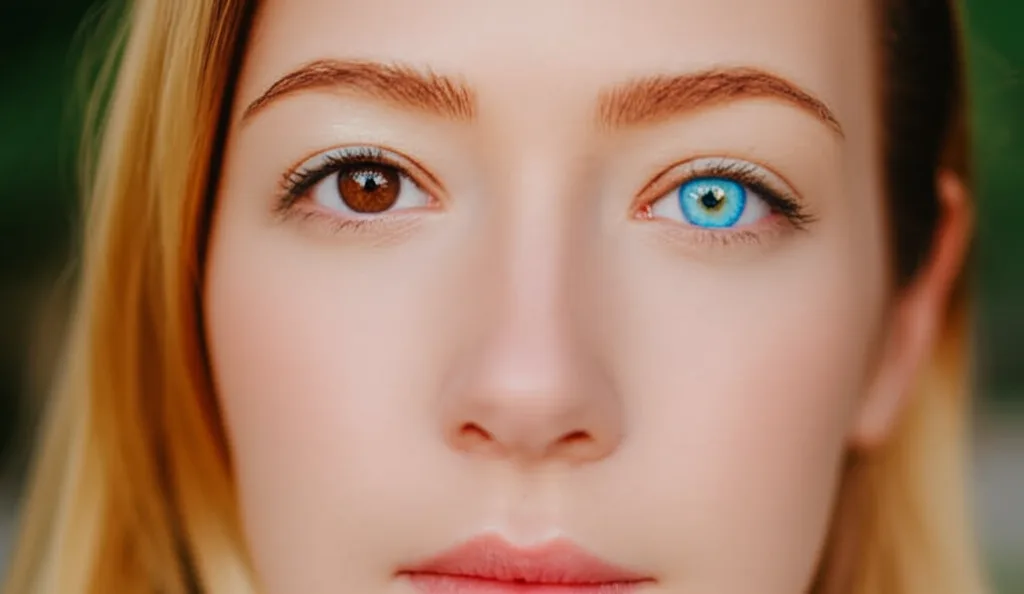
After

About the AI Eye Color Changer
The AI Eye Color Changer uses precise AI-powered eye detection to automatically identify the irises in a photo. It then allows you to change the color while preserving the natural reflections and details of the eye for a super-realistic effect. It's a fun tool for experimenting with your look, for cosplay photo editing, or for portrait photographers making creative enhancements.
How to Change Eye Color in a Photo with AI
1. Upload Your Portrait
Upload a clear, close-up photo of a face. The AI Eye Color Changer works best when the eyes are clearly visible.
2. Instruct and Refine
Use a simple prompt to specify the new eye color, such as "make the eyes bright blue" or "change eyes to green." Refine the prompt for a natural shade.
3. Download the New Look
Once you're happy with the subtle yet striking change, download the high-resolution photo with the new eye color.